
For every coach · any team, any levelBeta — unsigned test build
Dugout
Your team's home base: roster, lineups, field positions, schedule and stats in one app that keeps your data on your computer.
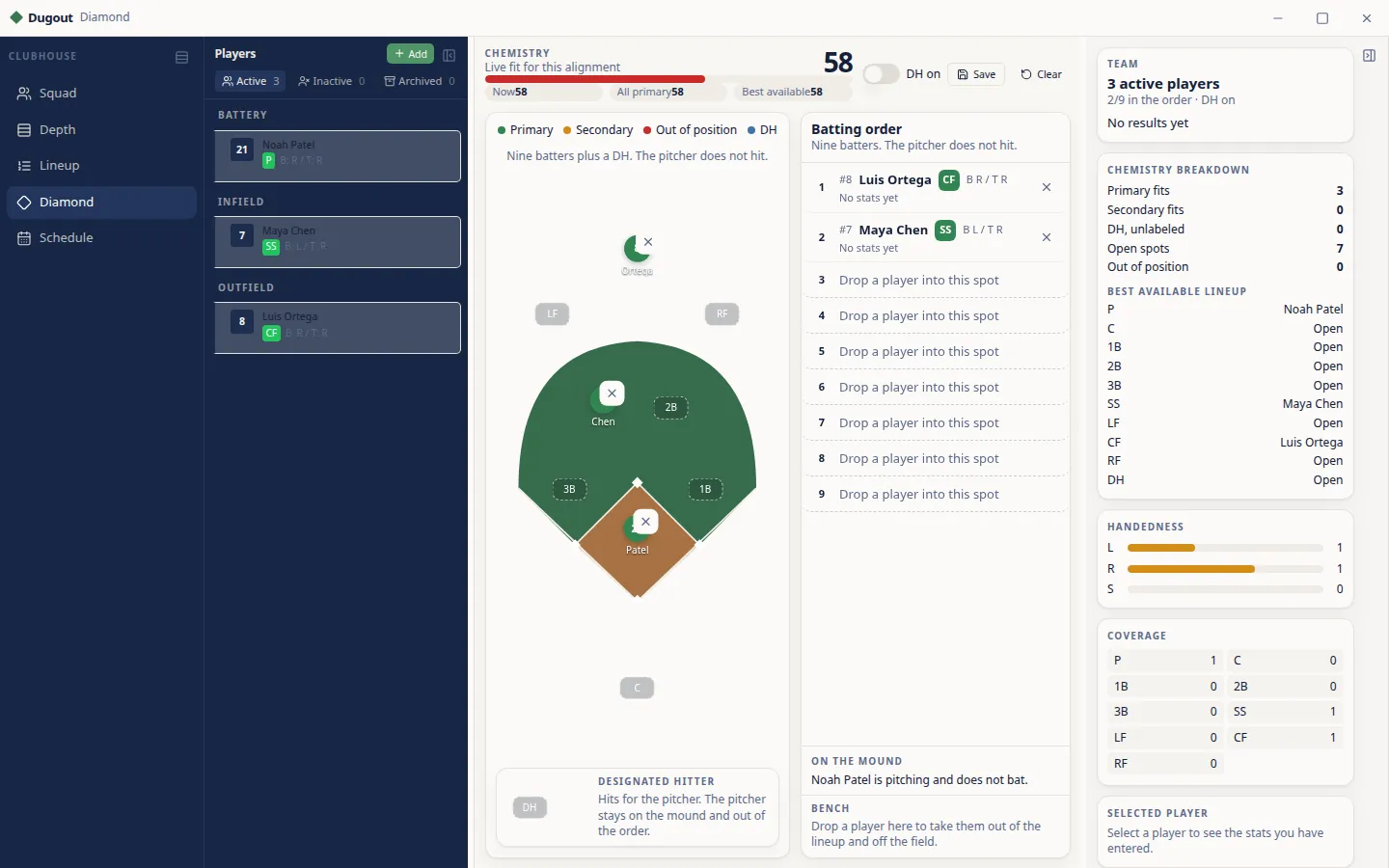
Roster
Keep active, inactive and archived players in one list with their positions.
Drag-and-drop lineups
Build a batting order and bench in seconds, with or without a DH.
Field view
See every position on the diamond, color-coded for primary, secondary and out of position.
Schedule and stats
Track games and season stats, with hitting and pitching leaders.
Works offline
Your team lives on your computer, so it works at the field without Wi-Fi.
Which download is right for me?
What are you on?
Does your Mac have an Apple chip or Intel?
Not sure? Click the Apple menu (the apple logo in the top-left corner), then About This Mac. If it says “Chip: Apple M1” (or M2, M3, M4…) you have an Apple chip. If it says “Processor: … Intel”, it's an Intel Mac.
Having trouble? Email hymetalab@gmail.com
Beta test build: how to open it anyway
This early build isn't signed by Apple or Microsoft yet, so your computer may warn you the first time. That's expected for a test build.
On a Mac
- Open the downloaded .dmg and drag Dugout into your Applications folder.
- Double-click the app. If macOS says it can't check it, click Done.
- Open System Settings → Privacy & Security, scroll down and click Open Anyway.
- Confirm with your password. After that it opens normally.
On Windows
- Run the downloaded .exe installer.
- If you see “Windows protected your PC”, click More info.
- Click Run anyway and follow the installer.